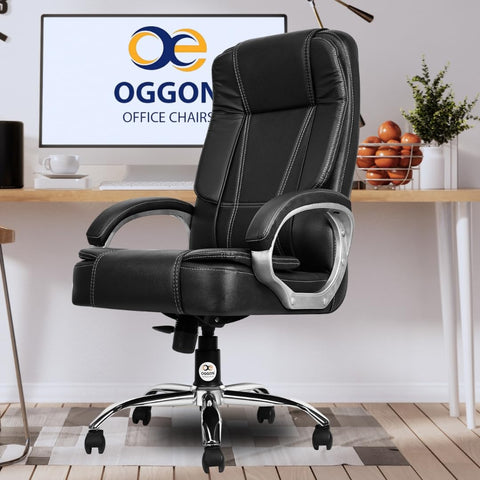
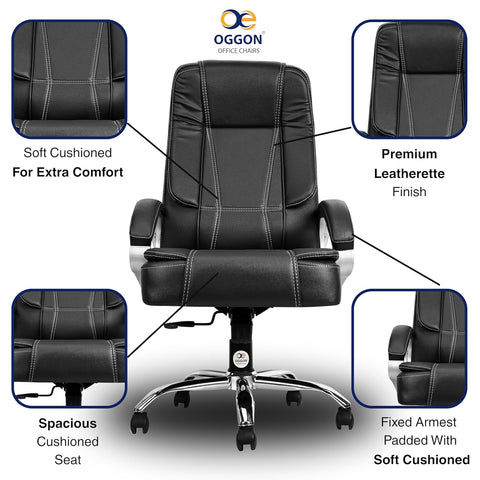
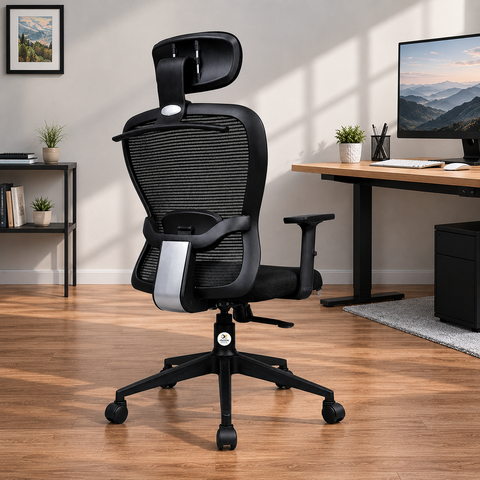
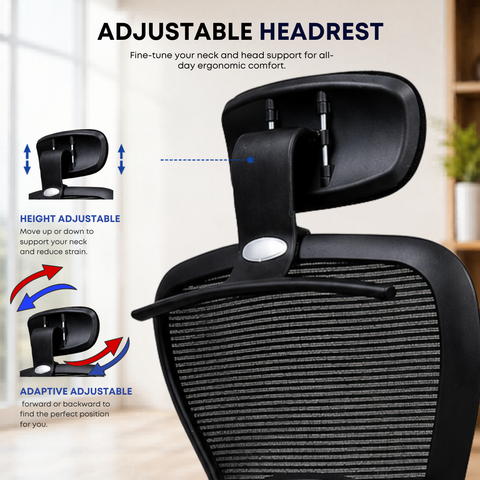
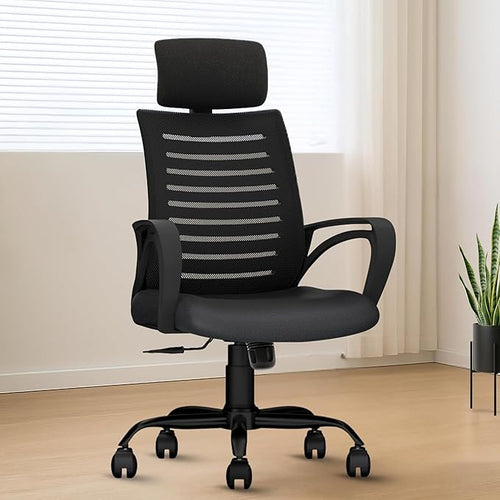
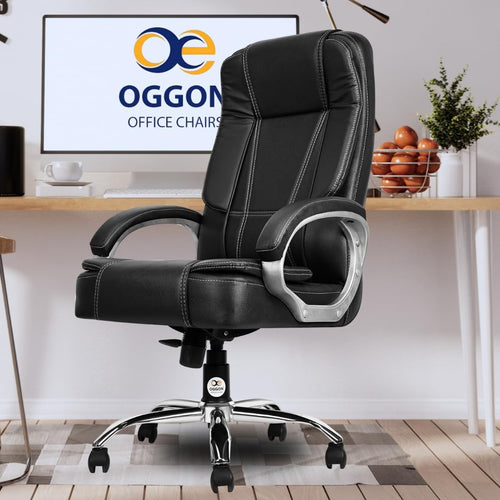
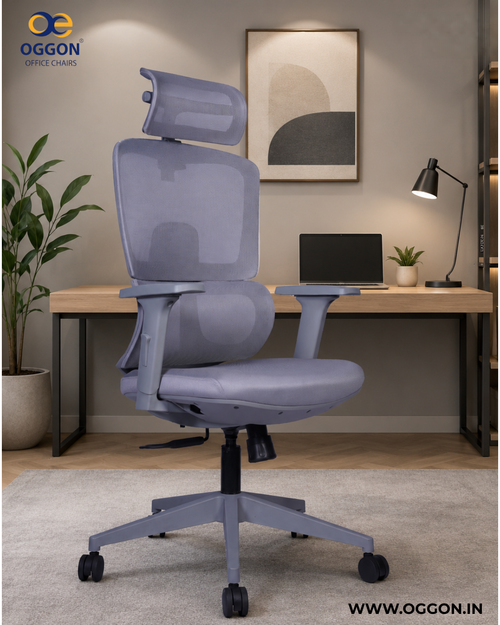
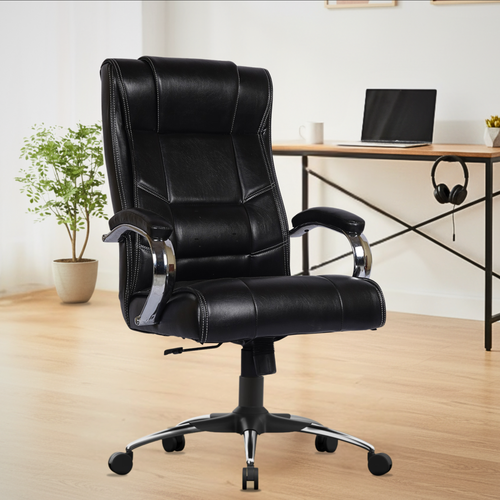
Warranty Protected
EMI Available
Free Shipping PAN India
Ergonomic Lumbar Support
Heavy Duty Base
Class 4 Hydraulic Lift
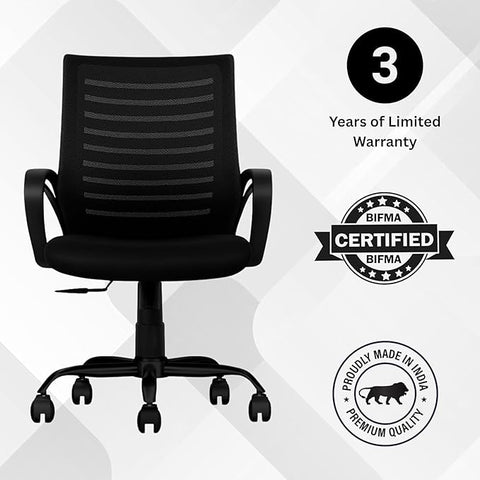
3 Years Warranty

Why Choose Oggon

Ergonomic Office Chairs Built for Comfort.
Crafted to Last.

Every Oggon office chair is engineered to support your posture through long work hours — with BIFMA-certified strength, adjustable lumbar support, and breathable mesh built for daily use in Indian homes and offices.

  • BIFMA Certified
  • Pan-India Delivery
  • Warranty Included
  • BIFMA-Certified Durability

    Tested to international BIFMA standards, so every chair withstands years of daily 8-hour use.

  • Adjustable Lumbar Support

    Contoured back support keeps your spine aligned and helps reduce back pain during long work sessions.

  • Breathable Mesh Build

    High-density breathable mesh and reinforced frames stay cool and hold their shape over time.

  • Modern Workspace Design

    Clean, contemporary silhouettes that fit home offices, corporate desks, and modern studios.

  • 3-Year Warranty & Support

    Reliable after-sales service with comprehensive warranty coverage and responsive support.

  • Fast Pan-India Delivery

    Safe, tracked shipping delivered to your doorstep across every major city in India.

Best Sellers
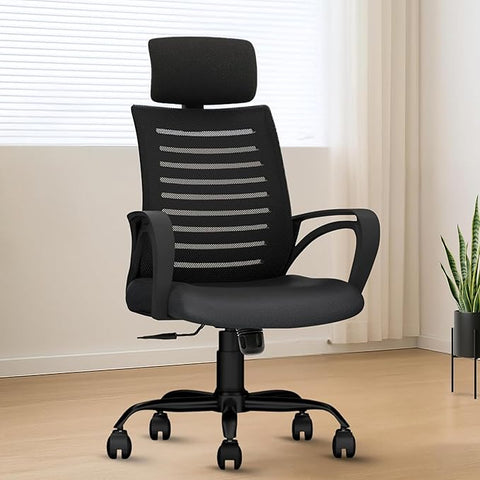
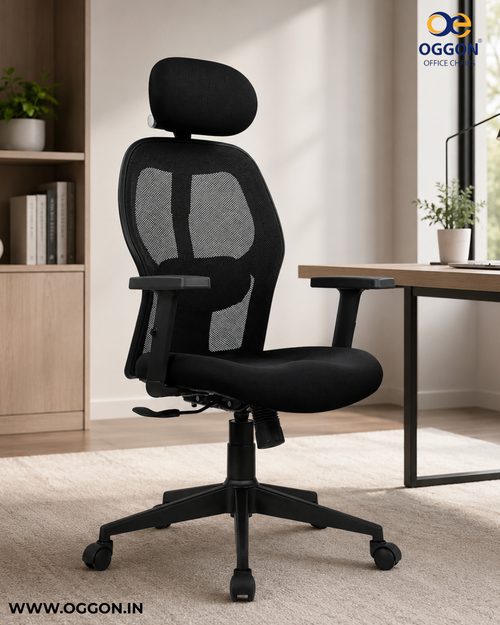
OGGON Irish High Back Ergonomic Mesh Office Chair
SAVE 57%
Rs. 4,200.00 Rs. 9,999.00
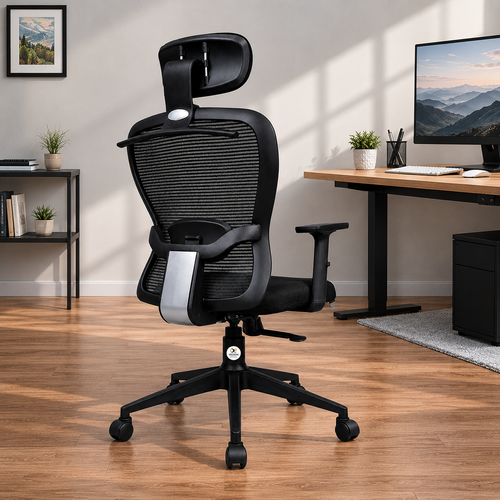
Oggon Victoria Ergonomic Mesh Office Chair with High Back
SAVE 57%
Rs. 6,800.00 Rs. 15,999.00
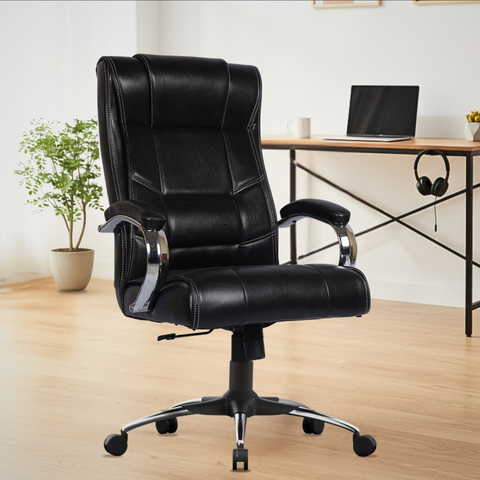
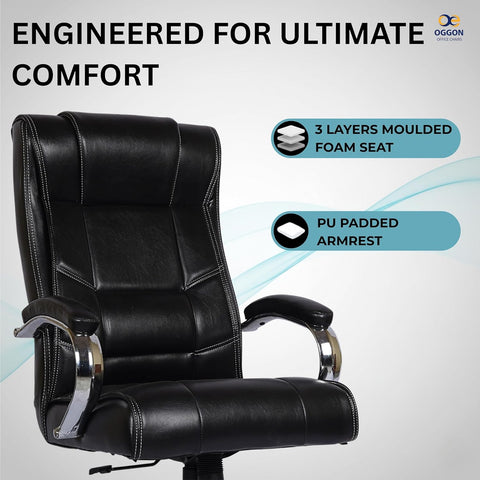
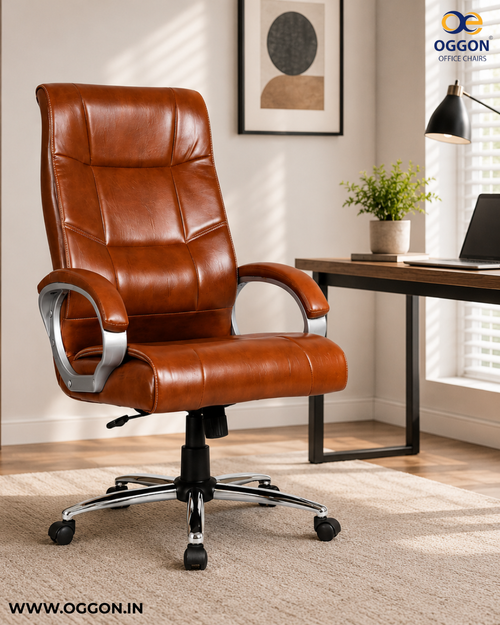
Oggon Alexander Ergonomic Executive Leatherette High Back Office Chair with Lumbar Support
SAVE 50%
Rs. 7,999.00 Rs. 15,999.00
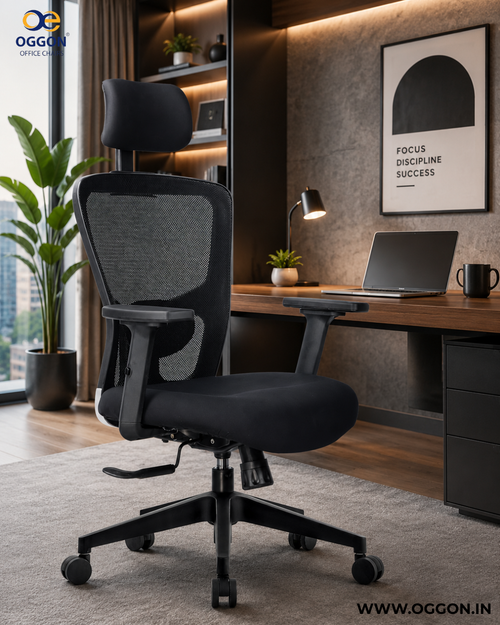
OGGON Ergolux Orthopedic Ergonomic Office Chair – Mesh Back
SAVE 62%
Rs. 3,799.00 Rs. 9,999.00
OGGON Irish Ergonomic Mesh Office Chair – Mid Back
SAVE 65%
Rs. 3,499.00 Rs. 9,999.00
Oggon Marley High Back Executive Leatherette Office Chair
SAVE 57%
Rs. 6,799.00 Rs. 15,999.00
Oggon Charmer High Back Ergonomic Executive Leatherette Office Chair
SAVE 59%
Rs. 6,800.00 Rs. 16,999.00
OGGON Marcoos High Back Ergonomic Mesh Office Chair
SAVE 55%
Rs. 6,200.00 Rs. 14,000.00
Oggon Rios High Back Executive Leatherette Office Chair
SAVE 56%
Rs. 6,899.00 Rs. 15,999.00
New Launch
Fresh Designs • Smart Comfort • Latest Collection
OGGON Ergolux Orthopedic Ergonomic Office Chair – Mesh Back
SAVE 62%
Rs. 3,799.00 Rs. 9,999.00
Oggon Rios High Back Executive Leatherette Office Chair
SAVE 56%
Rs. 6,899.00 Rs. 15,999.00
Oggon Marley High Back Executive Leatherette Office Chair
SAVE 57%
Rs. 6,799.00 Rs. 15,999.00
Oggon Alexander Ergonomic Executive Leatherette High Back Office Chair with Lumbar Support
SAVE 50%
Rs. 7,999.00 Rs. 15,999.00
Oggon Charmer High Back Ergonomic Executive Leatherette Office Chair
SAVE 59%
Rs. 6,800.00 Rs. 16,999.00
Oggon Victoria Ergonomic Mesh Office Chair with High Back
SAVE 57%
Rs. 6,800.00 Rs. 15,999.00
OGGON Irish Ergonomic Mesh Office Chair – Mid Back
SAVE 65%
Rs. 3,499.00 Rs. 9,999.00
OGGON Irish High Back Ergonomic Mesh Office Chair
SAVE 57%
Rs. 4,200.00 Rs. 9,999.00
OGGON Marcoos High Back Ergonomic Mesh Office Chair
SAVE 55%
Rs. 6,200.00 Rs. 14,000.00
Luxury Chairs
Premium Comfort • Executive Design • Elite Presence
Oggon Alexander Ergonomic Executive Leatherette High Back Office Chair with Lumbar Support
SAVE 50%
Rs. 7,999.00 Rs. 15,999.00
Oggon Marley High Back Executive Leatherette Office Chair
SAVE 57%
Rs. 6,799.00 Rs. 15,999.00
Oggon Charmer High Back Ergonomic Executive Leatherette Office Chair
SAVE 59%
Rs. 6,800.00 Rs. 16,999.00
Oggon Rios High Back Executive Leatherette Office Chair
SAVE 56%
Rs. 6,899.00 Rs. 15,999.00
A Word From Our Founder

Ergonomic Office Chairs Made for India, Built for Everyday Comfort.

Pan-India Delivery BIFMA Certified Advanced Lumbar Support

India's workforce is growing faster than ever, and millions of professionals — from corporate desks in Mumbai to home offices in Jaipur — spend most of their day seated. Yet a well-built ergonomic office chair with real lumbar support was often either too expensive or simply unavailable at the right price. That is the gap Oggon was built to fill.

We design comfortable, durable office chairs around the Indian workspace — the long hours, the varied body types, and the need for everyday reliability. Our focus stays on better lumbar support, better performance, and better after-sales service, because a comfortable workspace leads to better focus, better health, and better work.

  • Advanced Lumbar Support Designed around your spine for long-hour comfort and better posture.
  • Best Price in Segment Premium ergonomic chairs at pricing that works for Indian buyers.
  • BIFMA-Certified Build Internationally tested for durability, safety, and long-term use.
  • Dedicated After-Sales A responsive support team for every customer and every order.

Our mission is straightforward — to make every working space across India a place where people feel comfortable, supported, and set up to do their best work. That focus drives everything we do at Oggon.

Ergonomic office chairs — Made for India, Built for Comfort.
Made for India. Built for Comfort.

Our Presence Across Platforms

Find us on your favorite marketplaces

Amazon

Amazon

Flipkart

Flipkart

JioMart

JioMart

FOLLOW OUR JOURNEY

Our Instagram Feed

Real workspaces, gaming setups & ergonomic inspiration by Oggon.
Blogs
August 01, 2026
💡 Workspace Tips How to Fix Back Pain From Sitting All Day — The Complete Ergonomic Guide 📅 June 2026 ⏱ 13 min read ✍️ Oggon Team 🔄 Updated: July 2026 In this guide: Why long hours of sitting causes discomfort, simple posture habits that help, 7 chair adjustments to try today, 6 easy stretches for desk workers, signs that your chair may be the issue, and what features to look for in a better chair. Written by the Oggon team for Indian professionals who sit for long hours every day. 📋 Disclaimer: This article is for general informational purposes only and does not constitute medical advice. The tips and suggestions shared are practical workspace comfort ideas commonly used by desk workers. If you experience persistent, severe, or worsening pain, please consult a qualified doctor or physiotherapist for personalised guidance. 54% Indian professionals report chronic lower back pain from desk work 2–4 wks Time for posture corrections to noticeably reduce back pain ₹0 Cost of the posture and stretch fixes in this guide 📋 Table of Contents Why Sitting Causes Back Pain — The Science Explained Simply The 5 Types of Desk-Related Back Pain The Correct Sitting Posture — Step by Step 7 Chair Adjustments That Fix Back Pain Immediately 6 Daily Stretches Every Desk Worker Must Do Workstation Setup — Monitor, Desk, Keyboard Position When Your Chair Is the Root Cause What to Look for in a Chair That Protects Your Spine Frequently Asked Questions Your 7-Day Back Pain Action Plan 1. Why Long Hours of Sitting Causes Back Discomfort It seems strange. Sitting should be restful — you are not lifting anything, not running, not exerting yourself. Yet for millions of Indian professionals, sitting at a desk for 8–10 hours is one of the most uncomfortable things they do every day. The reason is fairly straightforward. When you sit for a long time — especially on a chair that does not support your lower back — your body ends up holding itself in positions it was not designed to maintain for hours on end. The muscles in your back, neck, and hips have to work continuously just to keep you upright, and eventually they get tired and sore. Three things commonly happen when you sit without good support: Your lower back loses its natural curve. Instead of the gentle inward curve your lower back naturally has, it starts to round outward. This is one of the most common reasons people feel lower back discomfort after long sitting sessions. Pressure builds in your lower back. Sitting — especially in a slumped position — puts significantly more load on your lower back than standing does. Over many hours, this accumulated pressure is what causes that familiar ache at the end of a workday. Muscles get tight and tired. The muscles that hold you upright work hard all day. After several hours without a break or a position change, they fatigue and become tight — which is felt as stiffness and soreness, particularly in the lower back, neck, and shoulders. ℹ️ Good to know: Most desk-related back and neck discomfort builds up gradually over time from small habits repeated daily — how you sit, how your chair is set up, and how often you take breaks. The same way it builds up gradually, it can improve gradually too through consistent small changes. The information in this guide covers the practical changes that many desk workers find helpful — adjusting their chair, improving their sitting habits, taking regular breaks, and doing simple stretches. If you have ongoing pain, pain that is getting worse, or pain from an injury, please speak with a doctor or physiotherapist for personalised advice. 2. The 5 Types of Desk-Related Back Pain Not all back pain is the same and understanding which type you have determines which fix is most effective. Here are the five most common types of desk-related back pain experienced by Indian professionals: 🔴 Lower Back Ache Dull, persistent ache across the lower back. Worsens after hours of sitting. The most common type. Primary cause: flattened lumbar curve and weak core support. 🔴 Upper Back & Neck Stiffness Tightness and stiffness in the upper back, between shoulder blades, and at the base of the neck. Cause: forward head posture from screen time. 🔴 Sciatic Pain Sharp, shooting pain that travels from the lower back down one or both legs. Cause: compression of the sciatic nerve from disc pressure or piriformis tightness. 🔴 Tailbone Pain Sharp pain specifically at the base of the spine when sitting or standing. Cause: seats that are too hard, too deep, or have a forward-sloping angle. 🔴 Hip Flexor Tightness Not back pain directly, but tight hip flexors from prolonged sitting tilt the pelvis forward, which creates chronic lower back tension and pain over time. 🔴 Headaches from Neck Tension Tension headaches originating from the neck and upper back. Cause: the neck muscles work overtime when the head is positioned forward of the spine's centre line. ⚠️ Please note: The information in this guide is for general awareness purposes only and is not medical advice. If you have persistent, severe, or worsening pain — or pain that travels down your legs with numbness or weakness — please speak with a qualified doctor or physiotherapist before making any changes. This guide is written for people experiencing general desk-related discomfort from long sitting hours, not for treating any medical condition. 3. The Correct Sitting Posture — Step by Step Most people have been told to "sit up straight" at some point without being told what that actually looks like in practice. Here is a helpful reference for a comfortable sitting position — one that many desk workers find reduces tiredness and discomfort over long hours. 📐 A Comfortable Sitting Position — Reference Guide Feet Flat on the floor Both feet fully flat. No crossing legs. No tip-toe sitting. Use a footrest if your feet do not reach the floor. Knees 90° angle or slightly open Knees at hip level or very slightly below. Avoid knees higher than hips — this tilts the pelvis backward and rounds the lower back. Hips & Pelvis Neutral pelvic tilt Sit evenly on both sides of your bottom — not tilted to one side, not tucked under, not leaning too far forward. The lumbar curve should be present and supported. Lower Back Natural inward curve maintained The lumbar region must curve inward — not flatten or round out. Lumbar support from your chair should fill the natural gap between your back and the chair. Upper Back Relaxed against backrest Rest your entire back against the chair backrest. Do not hover away from it. The backrest is there to support you — use it fully. Shoulders Relaxed, not raised Shoulders should be down and relaxed — not raised toward your ears. Armrests set at elbow height allow shoulders to fully relax. Arms & Elbows 90° angle at elbows Forearms parallel to the floor or very slightly downward. Wrists in neutral position — not bent up or down when typing. Head & Neck Ears above shoulders Your ears should be directly above your shoulders, not forward of them. For every inch your head moves forward, it effectively adds 4–5kg of stress on your neck muscles. Eyes & Monitor Top of screen at eye level The top of your monitor should be at or very slightly below your natural eye level. Looking down constantly strains the neck — looking up strains it differently. Monitor Distance Arm's length away Your monitor should be approximately 50–70cm from your eyes — roughly arm's length. Too close causes you to lean forward. Too far causes squinting and neck strain. 💡 The 20-minute reminder trick: Correct posture is a habit, not a permanent state. Set a phone reminder every 20 minutes that simply says "Check posture." Each time it fires, take 10 seconds to reset to the correct position. Within 3–4 weeks this becomes automatic and the reminders become unnecessary. 4. 7 Chair Adjustments Worth Trying for Better Comfort Most people never adjust their chair beyond the basic seat height setting. But a chair with multiple adjustment points only helps when those adjustments are set to suit your specific body. Here are 7 adjustments worth trying — many people find these changes make a noticeable difference to their comfort during long sitting hours. 1 Seat Height — Set This First, Everything Else Follows Adjust seat height until your feet are completely flat on the floor and your knees form approximately a 90-degree angle. Your thighs should be roughly parallel to the floor or very slightly angled downward. If your feet do not reach the floor at a comfortable height, use a footrest rather than raising the chair. ✓ Check: Feet flat, knees at 90°, thighs parallel to floor 2 Lumbar Support — The Most Critical Adjustment for Back Pain Adjust the lumbar support up or down until it sits exactly in the hollow of your lower back — that small inward curve just above your waist. It should gently push your lower back into its natural inward curve without forcing you to arch dramatically. If your chair's lumbar support is fixed and sitting in the wrong position, place a small rolled towel or lumbar cushion at the correct height instead. ✓ Check: Lumbar pad fills the hollow of your lower back exactly 3 Backrest Angle — Slight Recline Reduces Disc Pressure Many ergonomics experts and workplace comfort guides suggest that a slight backward lean — somewhere between 100 and 110 degrees rather than completely upright at 90 degrees — tends to feel more comfortable for long hours. Try adjusting your recline to a gentle lean and locking it there. Many people who sit completely upright at 90 degrees find that a small backward adjustment actually feels more natural and comfortable over time. ✓ Check: Backrest at 100–110° — slightly reclined, not upright 4 Seat Depth — Two to Three Fingers Gap Behind Your Knee Sit fully back in the chair with your back against the backrest. There should be a gap of approximately 2–3 finger widths between the front edge of the seat and the back of your knees. If the seat is too deep, it cuts off circulation and forces you to slide forward, losing lumbar support contact. If it is too shallow, insufficient thigh support causes the legs to take uneven weight. ✓ Check: 2–3 finger gap between seat edge and back of knee 5 Armrest Height — Shoulders Must Be Relaxed Adjust armrests until your elbows rest on them naturally with your shoulders completely relaxed and unlocked — not raised even slightly. The armrests should be at exactly elbow height when your upper arms hang naturally at your sides. Armrests that are too high force your shoulders up continuously. Armrests that are too low provide no support. Either error causes neck and shoulder tension and pain over time. ✓ Check: Shoulders fully dropped and relaxed when arms on armrests 6 Headrest Position — Support the Natural Neck Curve If your chair has a headrest, position it so it supports the back of your head when you are in the correct sitting position. It should not push your head forward. The headrest should encourage your head to rest in a neutral position — ears above shoulders — rather than being a prop you lean into. If the headrest pushes your head forward, move it higher until it contacts the back of the skull only. ✓ Check: Head rests back with ears above shoulders, not pushed forward 7 Tilt Tension — Resistance Should Suit Your Weight Most chairs have a tilt tension dial — usually underneath the seat — that controls how much resistance the chair gives when you lean back. Adjust this so the chair reclines with moderate resistance when you lean back naturally. Too loose and the chair reclines at the slightest lean, removing lumbar support contact. Too tight and you cannot recline at all, which removes the benefit of having a recline mechanism entirely. ✓ Check: Chair reclines with moderate resistance when you lean back intentionally 5. 6 Simple Movements Many Desk Workers Find Helpful Sitting in one position for hours without a break is one of the most common reasons for end-of-day stiffness. Many desk workers find that adding some simple movement into their day — even just a few minutes — makes a noticeable difference in how they feel. These six movements are gentle, take about 8 minutes in total, and require no equipment. They are not a substitute for medical advice, but many people incorporate them as part of a healthier daily desk routine. 🧘 1. Cat-Cow Spinal Mobilisation Get on all fours on the floor. On an inhale, drop your belly toward the floor and lift your head and tailbone — this is Cow pose. On an exhale, round your spine toward the ceiling and tuck your chin to your chest — this is Cat pose. This is the single most effective movement for mobilising the lumbar spine and relieving disc pressure after prolonged sitting. ⏱ 10 cycles — approximately 90 seconds 🙆 2. Standing Hip Flexor Stretch Stand and take a large step forward with your right foot. Lower your left knee toward the floor. Keep your torso upright and gently push your hips forward until you feel a stretch in the front of your left hip and thigh. This stretches the psoas and iliacus — the hip flexors that become chronically tight from sitting and directly pull on the lumbar spine creating lower back pain. ⏱ 30 seconds each side — 1 minute total 🔄 3. Seated Thoracic Rotation Sit upright in your chair. Cross your arms over your chest. Keeping your hips facing forward, slowly rotate your upper body to the right as far as comfortable, hold for 2 seconds, then rotate to the left. This mobilises the thoracic spine — the mid-back region that becomes stiff and compressed during long sitting sessions and contributes to both upper and lower back pain. ⏱ 10 rotations each side — 2 minutes 🤸 4. Child's Pose Spinal Decompression Kneel on the floor and sit back toward your heels. Extend your arms forward on the floor and lower your forehead to rest on the floor or a folded towel. Breathe deeply. This gently decompresses the lumbar spine, releasing accumulated pressure from the intervertebral discs. It is particularly effective for people experiencing lower back ache after long sitting sessions. ⏱ Hold 60–90 seconds — breathe deeply throughout 💪 5. Doorway Chest and Shoulder Opener Stand in a doorway. Place both forearms vertically on the door frame at shoulder height. Gently step forward through the doorway until you feel a stretch across your chest and the front of your shoulders. Hold. This counteracts the hunched-forward shoulder position that develops from hours of keyboard and mouse use, and directly relieves upper back and neck tension. ⏱ Hold 30–45 seconds — 2–3 times 🧠 6. Chin Tuck Neck Realignment Sit or stand upright. Without moving your shoulders, gently pull your chin straight back — as if making a double chin. Hold for 3 seconds and release. This simple movement actively counteracts forward head posture, strengthens the deep neck flexors, and repositions the head above the shoulders where it belongs. Do this every hour at your desk — it is the fastest relief for neck and upper back tension. ⏱ 10 repetitions — 30 seconds — do hourly ✅ The 20-2 rule: For every 20 minutes of sitting, stand up and move for at least 2 minutes. This is the most research-supported intervention for reducing the cumulative harm of prolonged sitting — more effective than any single stretch or posture correction alone. 6. Workstation Setup — Monitor, Desk, and Keyboard Position Even perfect posture and a perfectly adjusted chair cannot fully prevent back pain if your workstation forces compensatory positions. Here is how to set up your desk for a pain-free workday. Monitor Height and Distance The top of your monitor should be at or very slightly below your eye level when you are sitting in the correct position. Most people's monitors are too low — causing them to look down for hours, compressing the cervical spine. If your monitor sits on a desk without a stand, raise it using books, a monitor arm, or a dedicated monitor riser until the top edge reaches eye level. Monitor distance should be approximately 50–70cm — roughly arm's length. At this distance, you should be able to read clearly without leaning forward. If you find yourself leaning forward to read, either increase the font size on your screen or move the monitor closer — do not adjust your posture to compensate for a badly placed monitor. Keyboard and Mouse Position Your keyboard should be positioned so your elbows are at approximately 90 degrees and your wrists are in a neutral, flat position — neither bent upward nor downward. Many people use keyboards that are too far away, causing them to lean forward and extend their arms, which rounds the upper back. Pull your keyboard closer until your elbows are at your sides, not in front of your body. Your mouse should be directly beside your keyboard, at the same height. Using a mouse that is too far to the right forces continuous shoulder abduction — a position that creates shoulder and neck tension within hours. Desk Height Standard desk heights of 73–76cm work well for people of average height. If you are significantly taller or shorter than average, this standard height will force postural compromises. Taller individuals often need a height-adjustable desk to avoid hunching. Shorter individuals may need a chair that goes higher than standard, combined with a footrest to keep feet flat. ℹ️ For laptop users: A laptop on a desk is one of the worst ergonomic setups possible — the screen is always too low, forcing you to look down, and the keyboard is too close, forcing you to hunch forward. If you work primarily on a laptop, invest in an external keyboard and mouse, and raise your laptop on a stand to eye level. This single change eliminates the most common source of neck and upper back pain for laptop users. 7. Signs Your Chair May Be Worth Upgrading Sometimes making posture and workstation changes is still not enough to improve sitting comfort — because the chair itself lacks the features needed to support you properly. Here are some signs that upgrading your chair might be worth considering: Symptom What It Tells You Chair Feature Needed Lower back pain that starts within 1 hour of sitting No lumbar support or wrongly positioned lumbar Adjustable lumbar support Numbness or tingling in thighs or legs Seat too deep, cutting off circulation Adjustable seat depth Shoulders raised or tense even when trying to relax Armrests too high or absent Height-adjustable armrests Always sliding forward in the chair Backrest angle too reclined or lumbar too weak Tilt lock mechanism + firmer lumbar Tailbone or coccyx pain Seat too hard or angled incorrectly Dense foam seat or coccyx cutout seat Hot, sweaty back during long sessions PU leather or foam backrest trapping heat Breathable mesh backrest Chair sinking slowly throughout the day Failing gas lift cylinder New gas lift or new chair under warranty ⚠️ Worth keeping in mind: If you have tried adjusting your chair and improving your posture habits but still feel uncomfortable after long sitting sessions, it may simply be that your current chair does not have the features needed to support your body during long hours. A chair with adjustable lumbar support, correct seat depth, and height-adjustable armrests gives you significantly more to work with than a basic chair. 8. Chair Features That Help With Long-Hour Comfort If you are thinking about getting a better chair, here are the features that most ergonomics-focused chair brands — and most desk workers who have switched — agree make the biggest difference for long-hour comfort: ✅ Chair Features That Help With Long-Hour Sitting Comfort Adjustable lumbar support — moves up and down to match your exact lower back position High backrest — minimum 50cm tall to support the full length of your spine Recline mechanism with tilt lock — allows slight backward lean and locks at your preferred angle Height-adjustable armrests — set at exact elbow height to relax shoulder muscles Pneumatic gas lift — smooth height adjustment so feet sit flat on the floor Seat depth adequate for your thigh length — 2–3 finger gap behind knees Breathable mesh backrest — prevents heat buildup that causes shifting and poor posture Stable five-star base with smooth rolling castors Warranty covering gas lift and mechanism — at least 1 year on functional parts 9. Frequently Asked Questions How long does it take for back pain from sitting to improve? + Everyone is different, but many desk workers who consistently apply small changes — adjusting their chair, improving their sitting habits, and taking regular movement breaks — notice a gradual improvement in comfort over a few weeks. Results depend entirely on individual circumstances. If discomfort is not improving, we'd always recommend speaking with a physiotherapist or doctor for personalised advice. Is it better to sit or stand at a desk? + Neither prolonged sitting nor prolonged standing is ideal. The research consensus is that alternating between sitting and standing — spending roughly 60–70% of your workday sitting and 30–40% standing or moving — produces the best outcomes for back health. If you have a sit-stand desk, aim to stand for 20–30 minutes in every hour. If you do not have a height-adjustable desk, taking regular standing breaks every 45–60 minutes provides most of the benefit. Can a lumbar pillow or cushion fix a bad chair? + A lumbar cushion can significantly improve a chair that has no lumbar support. Place it at the exact height of your lower back hollow — not in the middle of the back — and it can recreate the lumbar curve support that the chair lacks. However, a lumbar cushion cannot fix other problems: wrong seat height, armrests at the wrong height, or a seat that is too deep. It is an improvement, not a complete solution. My back pain only happens at work, not at home. Why? + This is a very clear signal that your work chair or workstation is the cause — not a structural issue with your spine. The most likely culprits are a chair without proper lumbar support, a monitor that is too low forcing you to look down, or armrests at the wrong height. Apply the chair adjustment steps in Section 4 to your work chair specifically and the pain should reduce significantly. Should I see a doctor or physiotherapist for desk-related back pain? + If you are experiencing discomfort that is clearly connected to long sitting hours and is mild in nature, trying the workspace adjustments in this guide is a practical starting point many people find helpful. However, we would always encourage speaking with a doctor or physiotherapist if the discomfort is persistent, getting worse, radiating to your legs, or if it began from an injury. A qualified physio can give you a personalised assessment that no general guide can replace. Does an ergonomic chair cure existing back pain or just prevent it? + A good ergonomic chair does both. It removes the ongoing trigger — poor posture and lack of spinal support — which allows the body to begin recovering. Most people with postural lower back pain notice that their pain stops worsening immediately after switching to a supportive ergonomic chair. Active healing then occurs over the following weeks as the muscles and discs recover from accumulated stress. How do I know if my current chair has proper lumbar support? + Sit fully back in your chair with your back against the backrest. Place your hand between your lower back and the chair. If there is a significant gap — more than a few centimetres — the chair is not providing lumbar support. A chair with proper lumbar support should fill this gap completely with either the backrest shape or a dedicated lumbar pad, gently maintaining the inward curve of your lower spine. 10. A Simple 7-Day Plan to Improve Your Sitting Comfort Small, consistent changes tend to work better than trying to fix everything at once. Here is a simple week-by-week approach that many desk workers find easy to follow: D1 Day 1 — Fix Your Chair Adjustments Spend 15 minutes adjusting your chair using the 7-step process in Section 4. Seat height first, then lumbar, then backrest angle, then armrests. Most people immediately notice reduced discomfort after this step alone. D2 Day 2 — Fix Your Monitor and Keyboard Position Raise your monitor to eye level. Pull your keyboard closer. Position your mouse next to the keyboard. Set a 20-minute posture reminder on your phone and actually use it throughout the workday. D3 Day 3 — Start the 6 Stretches Do all 6 stretches from Section 5 at lunchtime. Take 8 minutes. Notice which areas feel tightest — this identifies your personal priority areas. Do the chin tuck hourly throughout the day. D4 Day 4 — Assess Your Results On day 4, honestly assess whether your pain has reduced, stayed the same, or worsened. If reduced — continue the programme. If unchanged — recheck all adjustments. If worsened — see a doctor. D5 Day 5 — Implement the 20-2 Movement Rule For every 20 minutes of sitting, stand and walk for 2 minutes. Set an additional phone timer for this. Drink a glass of water each time you stand — this creates a natural standing trigger and keeps you hydrated. D6 Day 6 — Evaluate Your Chair Honestly If you have made all adjustments and are still experiencing pain, assess whether your chair has the features listed in Section 8. If key features are missing — particularly adjustable lumbar and correct seat depth — the chair needs to be replaced. D7 Day 7 — Build Permanent Habits Review the week. Which corrections made the most noticeable difference for you personally? Make those your daily non-negotiables going forward. Consistency over 3–4 weeks is what transforms these corrections from effort into automatic habit. ✅ To sum up: Desk-related discomfort from long sitting hours is something many Indian professionals deal with daily — and small, consistent changes to how you sit, how your chair is set up, and how often you take breaks can make a real difference over time. None of this is complicated or expensive. It just takes a little consistency. And if discomfort persists despite trying these changes, speaking with a doctor or physiotherapist is always the right next step. 🪑 Written by the Oggon Team This article was written by the Oggon Enterprises team based in Mumbai, India. We write about ergonomic seating, workspace comfort, and practical tips for Indian professionals who spend long hours at a desk. This content is for general informational purposes only and is not a substitute for professional medical advice. Looking for a Chair Built for Long Sitting Hours? If you spend 6–10 hours a day at a desk, your chair is one of the most important things in your workspace. Browse Oggon's range of ergonomic office chairs — designed for long-hour comfort, with adjustable lumbar support, breathable mesh, and free delivery across India. 🪑 Shop Ergonomic Chairs 💬 Ask Our Team © 2026 Oggon Enterprises  |  ← Back to Blog  |  Read: Best Ergonomic Chairs Guide →  |  Mumbai, Maharashtra, India 🇮🇳  
Read More →
July 03, 2026
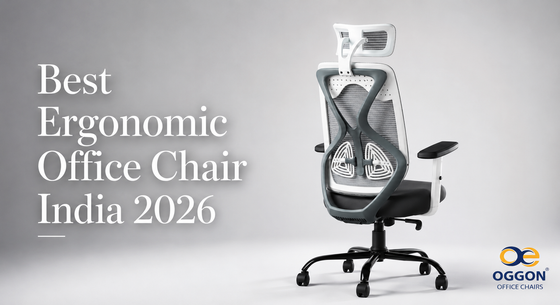
🛒 Buying Guide Best Ergonomic Office Chairs in India 2026 — The Complete Buyer's Guide 📅 June 2026 ⏱ 14 min read ✍️ Oggon Team 🔄 Updated: July 2026 In this guide: We break down everything you need to know before buying an ergonomic office chair in India — what to look for, what to avoid, price ranges, features explained in plain language, and a complete buying checklist. No brand bias, no paid promotions. Just honest, practical advice. 8–10 hrs Average daily sitting time for Indian professionals 68% WFH professionals report back pain from poor seating ₹3,000–₹25,000 Price range of quality ergonomic chairs in India 📋 Table of Contents What Is an Ergonomic Office Chair? Why Your Chair Matters More Than You Think 10 Features to Look for Before Buying Price Ranges Explained — What You Get at Each Budget Mesh vs Leather — Which is Better for India? Who Needs an Ergonomic Chair? Red Flags — 7 Signs of a Bad Office Chair Complete Buying Checklist Before You Purchase Frequently Asked Questions Final Verdict — What You Should Buy 1. What Is an Ergonomic Office Chair? The word "ergonomic" is thrown around so much in product listings that it has almost lost its meaning. Walk into any furniture store or browse any ecommerce platform and you will see hundreds of chairs claiming to be ergonomic — most of them are not. A genuinely ergonomic chair is one that is designed around the natural shape and movement of the human body. It supports your spine's natural S-curve, allows you to adjust it to your specific body dimensions, and reduces the physical stress that accumulates from sitting for long hours. In plain terms: a chair that makes it physically comfortable and healthy to sit in for 6, 8, or 10 hours at a stretch — without causing back pain, neck stiffness, or fatigue — can be called ergonomic. One that just looks good in a product photo cannot. ℹ️ Quick definition: An ergonomic chair is specifically engineered to support your body during long sitting hours. It adjusts to you — your height, your posture, your sitting style — rather than forcing you to adapt to it. The Core Difference Between an Ergonomic and a Regular Chair Feature Regular Chair Ergonomic Chair Lumbar Support Fixed or absent Adjustable, targets lower back Seat Height Fixed or basic Gas lift, full adjustment range Backrest Rigid, no recline Reclining with tilt lock Armrests Fixed or absent Height and width adjustable Seat Depth Fixed Often adjustable (advanced models) Long-hour comfort Causes fatigue quickly Designed for 8+ hour use Back pain risk High Significantly reduced 2. Why Your Chair Matters More Than You Think Most people spend significant money on their laptop, monitor, phone, and desk — but give almost no thought to the chair they sit on for 8–10 hours every single day. This is one of the most expensive mistakes a professional can make, not in money, but in health and productivity. Here is what actually happens when you sit on a poor chair for extended periods: Lower back pain — The most common result. Poor lumbar support causes the spine to lose its natural curve over time, compressing the discs between your vertebrae. Neck and shoulder stiffness — Without proper head and backrest support, your neck muscles work overtime to hold your head upright, leading to chronic tension. Reduced blood circulation — A seat that is too deep or too hard cuts off circulation to the back of the thighs, causing numbness and long-term vascular issues. Fatigue and brain fog — Physical discomfort drains mental energy. People in uncomfortable chairs consistently report lower concentration and output. Long-term postural damage — Years of poor seating can cause permanent changes to spinal alignment that become expensive and difficult to treat. ⚠️ Important: In India, the rapid shift to work-from-home has moved millions of professionals from company-provided office chairs to whatever chair they happened to have at home. Most of these are dining chairs, plastic chairs, or basic computer chairs — none of which are designed for long-hour use. The result has been a significant rise in musculoskeletal complaints among WFH professionals. On the positive side: switching to a genuinely ergonomic chair typically produces noticeable improvement in back comfort within 2–3 weeks. Many people report better energy levels, improved focus, and significantly reduced pain within the first month of using a proper ergonomic chair. 3. The 10 Most Important Features to Look for Before Buying This is the most important section of this guide. If you understand these 10 features, you will never make a bad chair purchase again. Every feature is explained in plain language with exactly what to look for. Feature 1 — Lumbar Support Lumbar support is the single most important feature on any office chair. The lumbar region is your lower back — the curve at the bottom of your spine that forms a natural inward curve. Most people lose this curve when they sit, which causes the disc compression that leads to lower back pain. What to look for: Adjustable lumbar support that you can move up and down to match the exact position of your lower back. Fixed lumbar support is better than none, but adjustable is significantly better. Ideally, the lumbar pad should be firm enough to provide real support, not just decorative padding. Feature 2 — Seat Height Adjustment Your feet should be flat on the floor with your knees at approximately 90 degrees when sitting. Since everyone is a different height, seat height must be adjustable. What to look for: A pneumatic gas lift that adjusts smoothly and holds its position firmly. The adjustment range should cover the sitting height of your body — typically a range of 40cm to 53cm from the floor is adequate for most Indian adults. Feature 3 — Backrest Height and Recline A high backrest supports your entire spine from the lumbar region to your shoulders. The ability to recline allows you to shift posture throughout the day, which reduces static muscle fatigue. What to look for: A high backrest (at least 50cm tall) that follows the natural curve of your spine. A tilt-lock recline mechanism that lets you lean back and lock at your preferred angle. Feature 4 — Armrests Armrests reduce the load on your neck and shoulder muscles by supporting the weight of your arms. Without armrests, your shoulder and neck muscles work continuously to hold your arms up, leading to fatigue and pain. What to look for: Height-adjustable armrests at minimum. Width-adjustable armrests are a bonus. The armrest height should allow your arms to rest at approximately 90 degrees at the elbow with your shoulders relaxed. Feature 5 — Seat Material In India's climate, seat material is particularly important. You will be sitting on this chair in temperatures ranging from 18°C to 38°C depending on your location and whether you have air conditioning. What to look for: Breathable mesh for warm climates and long hours. High-density foam for cushioned comfort. Avoid PU leather if you live in a hot, humid climate — it traps heat and becomes uncomfortable quickly. Feature 6 — Seat Depth The depth of the seat determines how much of your thigh is supported. Too deep and it cuts off circulation at the back of your knees. Too shallow and you have insufficient thigh support. What to look for: A seat depth of 45–50cm works for most Indian adults. Some premium chairs have adjustable seat depth, which is excellent for sharing between people of different heights. Feature 7 — Headrest A headrest is valuable if you spend time reading on a screen, attending video calls, or leaning back to think. It is not essential for everyone but significantly increases comfort for extended hours. What to look for: An adjustable headrest that can be positioned at the exact height of the back of your head. Fixed headrests are frequently the wrong height for most users. Feature 8 — Base and Castors The base supports the entire weight of the chair and user. Weak bases crack over time, especially under heavier users. Poor-quality castors leave marks on floors and do not roll smoothly. What to look for: A five-star nylon or metal base. Dual-wheel castors that roll smoothly on both hard floors and carpet. If you have hardwood or tile floors, look for soft-wheel castors specifically designed for hard floors. Feature 9 — Weight Capacity Every office chair has a maximum weight capacity. Using a chair above its rated capacity accelerates wear on the gas lift, base, and mechanisms, and creates a safety risk. What to look for: A weight capacity that comfortably exceeds your body weight. Most quality chairs support 100–120kg. If you require more, look specifically for heavy-duty chairs rated at 130–150kg. Feature 10 — Warranty on Functional Parts This is something most buyers overlook until something breaks. The mechanism, gas lift, and armrests on a chair experience thousands of adjustment cycles over their life. The quality of the warranty tells you exactly how much the manufacturer trusts their own product. What to look for: A warranty that specifically covers functional and mechanical parts — gas lift, tilt mechanism, lumbar adjustment, and armrest mechanism. Warranties that only cover manufacturing defects for 30 days are not warranties in any meaningful sense. 4. Price Ranges Explained — What You Get at Each Budget One of the most confusing parts of buying an office chair in India is understanding what you actually get at different price points. Here is an honest breakdown. Under ₹3,000 Basic computer chairs — avoid for daily use Fixed height, no real lumbar support, short lifespan. Not suitable for professionals sitting 6+ hours daily. ✗ Not Recommended as Primary Chair ₹3,000–₹6,000 Entry-level ergonomic features Basic height adjustment, some lumbar support, mesh or foam seat. Build quality varies widely at this range. ~ Acceptable if budget is limited ⭐ SWEET SPOT ₹6,000–₹12,000 The sweet spot — best value in India Good lumbar support, proper gas lift, high backrest, adjustable armrests. Mesh or foam options. Decent warranty. Best for WFH professionals and daily office use. ✓ Best Value for Most Indian Buyers ₹12,000–₹25,000 Premium build — for serious users Multiple adjustment points, adjustable seat depth, superior lumbar, longer warranty, better materials. For executives, long-hour workers, or those with existing back pain. ✓ Excellent for Demanding Use Above ₹25,000 Imported premium — top tier ergonomics Top-tier ergonomics, full adjustability. C-suite executives, professional designers, or specific medical requirements. ~ Only if budget allows 💡 Insider tip: The ₹6,000–₹12,000 range offers the best value for the vast majority of Indian professionals. In this bracket, you get all the ergonomic features that genuinely matter for daily use — without paying a premium for brand names or imported components. 5. Mesh vs Leather — Which is Better for India? This is one of the most common questions from Indian buyers and the answer is clear once you understand what each material actually does. Mesh Office Chairs Mesh chairs have a woven fabric backrest and sometimes a mesh seat. The mesh is stretched over a frame and conforms to the shape of your back. Breathability: Excellent. Air circulates freely through the mesh, keeping your back cool even in warm weather. This is a significant advantage in India. Support: Good. The tension of the mesh provides natural support that adjusts slightly with your movement. Durability: Depends heavily on mesh quality. High-quality mesh (like that used in premium chairs) can last 8–10 years. Low-quality mesh sags within 1–2 years. Maintenance: Easy to clean. Dust and debris fall through the mesh rather than accumulating. Best for: India's warm climate, long hours, people who run warm, tropical and coastal locations. Leatherette (PU Leather) Office Chairs Most "leather" chairs sold in India at mid-range prices are actually PU leatherette — synthetic material that looks and feels like leather but is significantly less expensive. Breathability: Poor. PU leather traps body heat and moisture. In Indian summers, this leads to significant discomfort during long sitting hours. Support: Good, especially for the seat cushion which is usually foam-padded. Durability: PU leather peels and cracks within 2–4 years with daily use, especially in humid conditions. Maintenance: Requires regular cleaning and conditioning. Difficult to repair once peeling starts. Best for: Air-conditioned offices, cooler climates, shorter sitting periods, appearance-focused purchases. ✅ Our recommendation for Indian buyers: For anyone sitting more than 4 hours per day in a warm environment — which describes the majority of Indian professionals — mesh is the clear winner. It stays cooler, lasts longer with proper quality, and provides better support for extended periods. Leatherette is better suited for air-conditioned spaces where aesthetics matter and sitting duration is shorter. 6. Who Needs an Ergonomic Office Chair? The honest answer is: anyone who sits for more than 3 hours per day benefits from proper ergonomic seating. But the need is especially clear for: Work from home professionals — No HR manager, no ergonomics policy, no company-provided furniture. You are entirely responsible for your own seating setup, and the consequences of getting it wrong are entirely yours to bear. IT and tech professionals — 8–10 hour screen sessions are standard. The physical toll of this, without ergonomic support, is significant and cumulative. Students preparing for competitive exams — JEE, NEET, UPSC, and CA candidates often study for 8–12 hours daily. A good chair directly affects how long you can study comfortably. People who already have back pain — If you already experience lower back, neck, or shoulder pain, a good ergonomic chair is not a luxury — it is a medical necessity. Entrepreneurs and business owners — Long hours in front of a screen or phone are the norm. The cost of a good chair is trivial compared to the cost of chronic pain and lost productivity. Content creators and gamers — Extended sessions demand chairs built for endurance, not just aesthetics. 7. Red Flags — 7 Signs of a Bad Office Chair Knowing what to avoid is just as important as knowing what to look for. Here are the seven clearest warning signs that a chair is not worth buying, regardless of how good it looks in the listing photos. 🚩 Red Flag 1 — "Ergonomic" in the name but no adjustable lumbar support. This is the most common deceptive listing practice. A chair with no adjustable lumbar cannot be genuinely ergonomic. Red Flag 2 — Weight capacity below 100kg. Most quality chairs are rated to at least 100kg. A lower rating suggests weak construction. Red Flag 3 — No warranty on mechanical parts. If the warranty only covers manufacturing defects for 30 days and excludes the mechanism and gas lift, the brand does not trust their own product. Red Flag 4 — Fixed armrests at a low price point. Genuinely ergonomic chairs have adjustable armrests. Fixed armrests at the wrong height cause as much harm as no armrests. Red Flag 5 — No brand contact information. If you cannot find a phone number, email, or physical address for the seller or brand, there is no after-sales support. When your chair breaks, you have no recourse. Red Flag 6 — Suspiciously low prices for "premium" features. A chair claiming lumbar support, adjustable armrests, mesh back, and headrest for under ₹2,500 is using the lowest-quality components available. It will not last and will not provide real ergonomic benefit. Red Flag 7 — No assembly support or video guide. A brand that cares about its customers provides assembly guidance. One that does not will also not help when something goes wrong. 8. Complete Buying Checklist — Before You Purchase Any Office Chair Use this checklist every time you are considering an office chair purchase. If any of these boxes cannot be ticked, reconsider the purchase. ✅ Ergonomic Checklist — 15 Points Adjustable lumbar support — can be moved up, down, or in-out Pneumatic gas lift — smooth height adjustment, holds position firmly Height range covers your sitting height (typically 40–53cm from floor) High backrest — at least 50cm to support full spine Tilt or recline mechanism with lock function Adjustable armrests — height adjustable at minimum Breathable seat material (mesh recommended for Indian climate) Adequate seat depth for your leg length (45–50cm for most adults) Five-star base — nylon or metal for long-term stability Weight capacity at or above your body weight Warranty covers gas lift, mechanism, lumbar, and armrests Brand has a working customer support contact (email, phone, or WhatsApp) Assembly guide or video available Return or exchange policy in case it does not work for you Verifiable real customer reviews — not just generic 5-star text 9. Frequently Asked Questions Q: How much should I spend on an ergonomic office chair in India? For most Indian professionals using the chair 6–8 hours daily, a budget of ₹6,000 to ₹12,000 gives you access to genuinely ergonomic features — adjustable lumbar, proper height adjustment, reclining backrest, and adjustable armrests — at a price that is sustainable for most households and businesses. If you have existing back issues or sit for more than 8 hours daily, consider spending ₹12,000 to ₹20,000 for better build quality and more precise adjustability. Q: Is a mesh chair better than a foam chair for long hours? For most Indian conditions, yes. Mesh allows air circulation which prevents heat and moisture buildup during long sessions. High-density foam provides excellent cushioning but can become warm and uncomfortable after 3–4 hours in warm weather. The ideal combination, found in many mid to premium chairs, is a mesh backrest with a foam-cushioned seat. Q: What is BIFMA certification and should I look for it? BIFMA (Business and Institutional Furniture Manufacturers Association) is an independent testing and safety standard for office furniture. A chair with BIFMA certification has been tested for structural integrity, durability, and safety. While not all good chairs are BIFMA certified, certification is a reliable indicator of quality and safety compliance. If you can choose between two similarly priced chairs, the BIFMA certified one is the safer choice. Q: How long should a quality office chair last? A well-maintained quality office chair should last 5–10 years with daily use. The gas lift typically lasts 5–7 years before showing signs of wear. The mechanism and base on a quality chair should last the full lifespan. Signs that a chair needs replacement include a sinking gas lift, cracking seat material, loose or wobbly mechanism, and worn castors. Q: Can a good chair actually help with existing back pain? Yes, significantly. Numerous ergonomic and physiotherapy studies confirm that proper lumbar support and correct sitting posture substantially reduce lower back pain from prolonged sitting. Most people with posture-related lower back pain report noticeable improvement within 2–4 weeks of switching to a properly adjusted ergonomic chair. However, a chair alone cannot fix pre-existing spinal conditions — if you have a diagnosed spinal issue, consult a physiotherapist for chair recommendations specific to your condition. Q: Does chair assembly difficulty affect quality? Not directly, but the quality of assembly support is a reliable indicator of how much a brand cares about the customer experience. Brands that provide clear assembly videos, a helpline for assembly questions, and all tools included in the box consistently also provide better after-sales support when something goes wrong with the chair itself. Q: Should I buy an office chair online or from a store? In India, most quality ergonomic chair brands operate primarily online — this is where their pricing is most competitive and where the widest range of models is available. The key is to buy from brands that offer a return or exchange policy, provide verifiable warranty terms, and have responsive customer support. Buying from platforms like Oggon.in, Amazon, or Flipkart from established brands gives you buyer protection in addition to the brand's own policies. 10. Final Verdict — What You Should Buy After everything covered in this guide, here is the honest, no-nonsense buying advice: If your budget is ₹6,000–₹12,000: This is the sweet spot in India. Look for a chair with adjustable lumbar support, pneumatic height adjustment, a reclining high backrest, height-adjustable armrests, and a mesh or breathable back. Warranty should cover at least the mechanism and gas lift. Most working professionals, WFH employees, and students will be very well served in this range. If your budget is ₹12,000–₹20,000: You will get meaningfully better build quality, more precise adjustability, better mesh quality that lasts longer, and typically a stronger warranty. If you sit for more than 8 hours daily, have existing back pain, or are purchasing for a shared corporate environment, this range is worth the extra investment. The single most important thing regardless of budget: Buy from a brand that has a real, working customer support system — phone, email, or WhatsApp. The quality of after-sales support determines your experience not just at the moment of purchase, but over the years of daily use that follow. ✅ Bottom line: A quality ergonomic office chair is not an expense. It is an investment in your health, your energy, your focus, and your daily productivity. The right chair pays for itself in improved output and prevented healthcare costs within months. The wrong chair costs you far more — in pain, fatigue, and lost work quality — than you will ever save by buying cheap. 🪑 Written by the Oggon Team This guide was researched and written by the Oggon Enterprises team — ergonomic seating specialists based in Mumbai, India. We have spent years studying the Indian office furniture market, testing chairs across every price range, and listening to the real experiences of hundreds of Indian professionals. Our goal is to give you the most honest and practical buying advice available — whether you buy from us or not. Ready to Find Your Perfect Ergonomic Chair? Browse Oggon's complete range of ergonomic office chairs — designed specifically for Indian professionals, with free pan-India delivery, genuine warranty on all functional parts, and real human support. 🪑 Shop Ergonomic Chairs 💬 Talk to Our Team © 2026 Oggon Enterprises  |  ← Back to Blog  |  About Oggon  |  Mumbai, Maharashtra, India 🇮🇳
Read More →
April 28, 2026
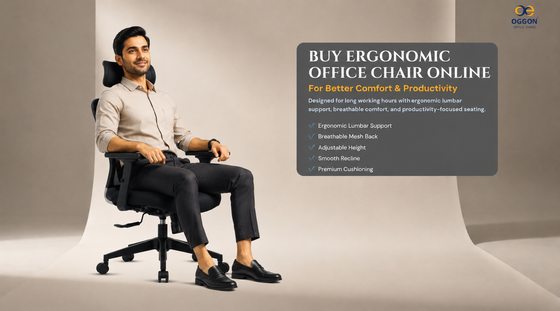
Buy Ergonomic Office Chair Online for Better Comfort & Productivity If you spend long hours working at a desk, choosing the right chair is one of the smartest investments you can make. A poor-quality chair can cause back pain, fatigue, poor posture, and discomfort during daily work. That is why many professionals now prefer to buy ergonomic office chair online — because ergonomic seating is designed for comfort, posture support, and long-hour productivity. Why Choose an Ergonomic Office Chair? An ergonomic office chair is built to support your body correctly while sitting for extended hours. Unlike regular chairs, ergonomic chairs help reduce stress on the back, shoulders, and neck. Key Benefits: Better posture support  Reduced lower back pain  Comfortable seating for long hours  Adjustable height and recline Improved productivity Professional workspace look Features to Look for Before Buying When you buy an ergonomic office chair online, look for these important features: Lumbar Support Supports the lower back and helps maintain natural spine alignment.  Breathable Mesh Back Keeps airflow smooth and reduces sweating during long work sessions. Adjustable Height Allows perfect desk alignment and proper sitting posture. Recline Mechanism Lets you lean back and relax while reducing pressure on the spine.  Premium Cushioning Ensures comfort for 8–10 hour usage. Best Ergonomic Office Chair for Long Hours If you work daily from office or home, your chair should provide: • Full back support• Pressure-free seating• Strong build quality• Smooth mobility• Comfortable armrests This makes a huge difference in daily comfort and focus. Why Buy Office Chair Online? Buying online offers many advantages:  Better deals and discounts  More models to compare Easy doorstep delivery  Detailed product information Verified customer reviews It is the smartest way to upgrade your workspace. Why Professionals Choose Oggon Chairs At Oggon, we create office chairs designed for modern professionals who demand comfort and durability. Oggon Chairs Offer: Ergonomic lumbar support Breathable mesh design Premium seat cushioning Durable hydraulic lift Smooth recline mechanism Long-lasting build quality Perfect for work-from-home users, office teams, founders, and professionals. How the Right Chair Improves Productivity A comfortable chair does more than support your back. It helps you: Stay focused longer Reduce distractions from discomfort Maintain better posture Work efficiently for more hours Comfort directly impacts performance. Final Conclusion If you are planning to buy ergonomic office chair online, choose one that supports your posture, keeps you comfortable, and lasts for years. A premium ergonomic chair is not just furniture — it is an investment in your health, comfort, and productivity. Q1.Which ergonomic office chair is best for long hours? A chair with lumbar support, breathable back, recline, and adjustable height is best. Q2.Is buying office chair online a good idea? Yes, you get better options, pricing, and doorstep delivery. Q3.Do ergonomic chairs help with back pain? Yes, proper lumbar support helps reduce lower back strain. Q4.How long does an office chair last? A quality office chair can last several years with proper use. #ergonomicofficechair #buyofficechair #officechaironline #bestofficechair #lumbarsupportchair #workfromhomechair #meshofficechair #comfortablechair #desksetup #oggonchairs 👉 Explore Oggon ergonomic office chairs today and upgrade your workspace.
Read More →
April 16, 2026
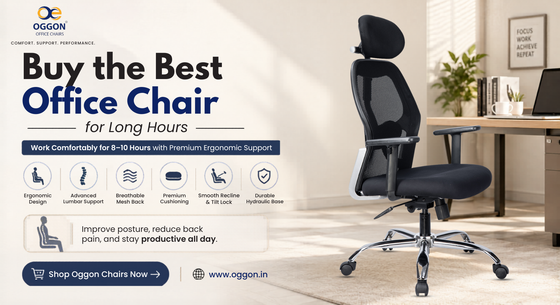
Buy the Best Office Chair for Long Hours If you spend 6–10 hours daily working at a desk, choosing the right office chair is not optional — it’s essential. A poor-quality chair leads to: • Back pain• Neck stiffness• Low productivity• Long-term posture issues That’s why investing in a high-quality ergonomic office chair is one of the smartest decisions for your health and work performance. 🎯 What Makes a Perfect Office Chair? Before you buy an office chair, make sure it has:  Ergonomic design for proper posture  Adjustable lumbar support for lower back  Breathable mesh or premium cushioning  Smooth recline and tilt mechanism  Adjustable height and armrests  Strong base and long durability These features ensure comfort during long working hours.  Best Office Chair for Long Hours (8–10 Hours Use) For professionals, freelancers, and business owners, the ideal chair should provide:  Full spine support  Pressure relief on hips and thighs  Comfortable seating for extended hours  Proper alignment with desk height An ergonomic office chair helps you stay productive without discomfort. Office Chair for Back Pain Relief If you already experience back pain, your chair is likely the problem. A good ergonomic office chair helps by:  Supporting natural spine curve  Reducing lower back pressure  Improving sitting posture  Preventing long-term health issues Switching to a proper chair can significantly improve your daily comfort. Why Most People Choose the Wrong Office Chair Many buyers make mistakes like: ❌ Choosing based on price only❌ Ignoring lumbar support❌ Buying non-adjustable chairs❌ Not considering long-hour usage Result? Discomfort within weeks. Why Oggon Office Chairs Are Different At Oggon, we design office chairs specifically for long working hours. Our chairs are built for: 8–10 hours daily usage Advanced lumbar support Breathable mesh back Premium cushioning Smooth recline and tilt lock Strong hydraulic system Durable build quality Whether you work from home or office, Oggon chairs are designed for performance and comfort. Buy Office Chair Online (Smart Choice) Buying online gives you: Better pricing More variety Easy comparison Home delivery Verified product details Upgrade Your Comfort Today If you are serious about your work and health, don’t compromise on your chair. 👉 Work longer without pain👉 Improve posture instantly👉 Experience premium comfort daily 👉 Shop Oggon Ergonomic Office Chairs Now       www.oggon.in Which office chair is best for long hours?An ergonomic chair with lumbar support and adjustable features is best for long working hours. Is an ergonomic office chair worth buying?Yes, it improves posture, reduces back pain, and increases productivity. Where to buy office chair online?You can buy high-quality ergonomic office chairs online with better pricing and doorstep delivery. How long does an office chair last?A good office chair lasts 3–5 years or more depending on usage. #officechair #ergonomicofficechair #buyofficechair #officechaironline #workfromhomechair
Read More →
February 28, 2026
Back pain is one of the most common problems among working professionals in India. With long desk hours, hybrid work culture, and extended screen time, sitting for 8–10 hours daily without proper support can lead to chronic lower back discomfort. Choosing the right office chair for back pain is not just about comfort. It is about spinal alignment, posture correction, and long-term health. This guide explains how to select the best ergonomic office chair in India for back support and productivity. Why Regular Office Chairs Cause Back Pain Most standard chairs lack: Proper lumbar support Adjustable height alignment Structured backrest contour Recline flexibility Balanced seat cushioning Without lumbar alignment, pressure increases on spinal discs, causing: Lower back strainNeck stiffnessMuscle fatiguePoor posture habits An ergonomic office chair is designed to solve these issues. Essential Features in an Office Chair for Back Pain When searching for the best office chair for lower back pain in India, prioritize the following features. Adjustable Lumbar Support Lumbar support maintains the natural curve of your lower spine. Adjustable lumbar systems allow personalized comfort and posture correction. This is the most important feature in any back support office chair. Ergonomic High Back Design A high back office chair supports: Lower spine Mid back Upper back Shoulders This reduces slouching and promotes upright posture during long working hours. Breathable Mesh Back Mesh ergonomic office chairs provide airflow and reduce heat buildup. In Indian climate conditions, breathability significantly improves long-hour sitting comfort. Tilt and Recline Mechanism A recline feature reduces spinal compression and improves circulation. Tilt lock ensures stability during focused tasks. High-Density Molded Foam Cushion Quality seat cushioning evenly distributes body weight and reduces pressure on hips and thighs. Mesh vs Executive Leather Office Chairs for Back Pain Both options can be ergonomic depending on construction. Mesh Ergonomic Chairs Ideal for: Long working hours Work-from-home setups IT professionals Hot climate conditions They provide airflow and structured support. Executive Leatherette Chairs Suitable for: Corporate cabins Professional office setups Leadership workspaces They offer padded lumbar support and executive aesthetics. Office Chair for Work From Home with Proper Back Support If you work remotely, your chair must provide: Adjustable height alignment Stable wheel base Lumbar support Comfortable armrests Durable construction A proper work-from-home office chair prevents posture-related pain and enhances productivity. Benefits of Choosing an Ergonomic Office Chair Investing in the right ergonomic chair offers long-term advantages: Reduced lower back pain Improved posture alignment Better spinal support Enhanced productivity Lower fatigue levels Long-lasting durability An ergonomic office chair is not an expense — it is a health investment. How Ergonomic Chairs Improve Workplace Productivity Comfort directly impacts concentration. When your spine is properly supported: You maintain focus longerYou avoid discomfort distractionsYou sit with better postureYou perform efficiently throughout the day Better seating leads to better performance. Why Oggon Ergonomic Office Chairs Are Designed for Back Support At Oggon, we design ergonomic office chairs specifically for Indian professionals who work long hours. Our chairs are engineered with: Advanced lumbar support systems Breathable mesh back options High-density molded foam seating Tilt and recline functionality Heavy-duty hydraulic lifts Stable wheel base construction Whether you need a mesh ergonomic chair, executive high back office chair, or orthopedic seating solution, Oggon delivers performance-driven comfort built for durability. Explore our ergonomic office chair collection to upgrade your workspace with better back support. Frequently Asked Questions Which office chair is best for lower back pain? An ergonomic office chair with adjustable lumbar support and high back structure is ideal. Is mesh good for back pain? Yes. Mesh chairs offer ventilation and proper spinal support when designed ergonomically. How many hours can I sit in an ergonomic chair? A quality ergonomic office chair is designed for extended daily use, typically 8–10 hours. Final Thoughts The best office chair for back pain in India is one that supports spinal alignment, reduces pressure on the lower back, and enhances long-term comfort. Investing in ergonomic seating improves health, productivity, and overall work performance. Choose wisely. Your spine supports you every day — your chair should support it too.
Read More →
August 25, 2025
Best Ergonomic Office Chair in India (2025 Complete Professional Buying Guide) In today’s evolving professional landscape across India, long desk hours have become standard. Whether working from home, managing hybrid teams, running a startup, or operating in corporate offices, professionals now spend 8–10 hours daily seated at workstations. Choosing the best ergonomic office chair in India is no longer about basic comfort. It is about posture correction, spinal health, productivity enhancement, and long-term physical well-being. An ergonomic office chair is scientifically engineered to support the natural curvature of the spine, reduce muscular fatigue, improve sitting posture, and enhance workplace performance. This comprehensive 2026 buying guide explains everything you need to know before investing in an ergonomic office chair in India. Why Ergonomic Office Chairs Are Essential in Modern India The rapid growth of: Work-from-home setups IT and corporate desk jobs Startup culture and entrepreneurship Remote working professionals Gaming and content creation careers has significantly increased daily sitting hours across Indian households and offices. Prolonged sitting without proper lumbar support can lead to: Lower back pain Neck stiffness Shoulder fatigue Reduced blood circulation Spinal misalignment Chronic posture-related discomfort A high-quality ergonomic office chair addresses these concerns by supporting body biomechanics during extended sitting. What Makes an Office Chair Truly Ergonomic? Not every office chair qualifies as ergonomic. A true ergonomic office chair in India must include advanced structural and adjustable features. 1️⃣ Advanced Lumbar Support Lumbar support is the foundation of ergonomic seating. It maintains the natural S-curve of the spine and reduces pressure on lower spinal discs. Key benefits: Reduces lower back strain Improves posture alignment Prevents long-term spinal stress Adjustable lumbar systems allow customization based on body type. 2️⃣ High Backrest for Full Spine Support A high back ergonomic office chair supports: Upper back Shoulders Neck (in headrest models) This ensures complete spinal alignment during long working hours. 3️⃣ Breathable Mesh Back for Indian Climate Mesh office chairs are highly preferred in India due to: Continuous airflow Heat reduction Sweat prevention Enhanced long-hour comfort For professionals working 8–10 hours daily, breathable mesh significantly improves seating comfort. 4️⃣ Premium Leatherette for Executive Aesthetics Executive leatherette office chairs offer: Professional and premium appearance Structured back support Soft padded seating Easy maintenance They are ideal for corporate cabins, managerial setups, and leadership spaces. 5️⃣ Adjustable Height with Class 4 Hydraulic A high-quality hydraulic system ensures correct alignment between: Desk height Elbow positioning Knee angle Proper alignment improves blood circulation and reduces leg fatigue. 6️⃣ Recline & Tilt Lock Mechanism Tilt and recline functionality helps: Reduce spinal compression Enable micro-movements Improve comfort during breaks Tilt lock ensures stability during focused work sessions. 7️⃣ High-Density Molded Foam Cushioning Premium ergonomic office chairs use high-density molded foam that: Retains shape over time Distributes body weight evenly Prevents hip and thigh pressure Enhances durability This is essential for extended daily usage. Best Ergonomic Office Chair in India for Back Pain If you are specifically searching for an office chair for back pain in India, prioritize these features: Structured lumbar support Contoured backrest Adjustable recline mechanism Stable heavy-duty base Seat depth balance Orthopedic ergonomic office chairs are specially designed to reduce lower back stress and improve posture during prolonged sitting. Mesh vs Leatherette – Which Ergonomic Chair Is Better? Both materials offer benefits depending on usage. Mesh Ergonomic Office Chairs Best suited for: Long working hours Hot climate conditions Work-from-home professionals IT and desk-based roles Leatherette Executive Office Chairs Ideal for: Corporate cabins Boardrooms Professional executive setups Managerial and leadership positions Both options can be highly ergonomic if equipped with proper lumbar and structural support. Best Ergonomic Office Chair for Work From Home in India Work-from-home professionals should consider: Compact yet supportive design Breathable material Long-hour lumbar support Smooth mobility Durable construction A quality ergonomic chair enhances productivity while preventing fatigue during remote work. Benefits of Investing in the Best Ergonomic Office Chair in India A premium ergonomic office chair offers long-term advantages: Improved posture alignment Reduced lower back pain Enhanced spinal support Increased work productivity Lower physical fatigue Professional workspace aesthetics Long-lasting durability It is not merely furniture — it is an investment in health and efficiency. How Ergonomic Office Chairs Improve Productivity Work performance is directly connected to physical comfort. When the body is properly supported: Focus improves Fatigue decreases Posture remains stable Energy levels remain consistent An ergonomic office chair enhances both mental clarity and physical well-being. Key Factors to Consider Before Buying an Ergonomic Office Chair in India Before making a purchase, evaluate: Daily sitting duration Body weight capacity Workspace dimensions Desk height compatibility Material preference (mesh or leatherette) Recline flexibility Armrest adjustability Choosing the right combination ensures optimal ergonomic fit. Why Oggon Ergonomic Office Chairs Stand Out At Oggon, we design ergonomic office chairs specifically for Indian professionals and modern workspaces. Our chairs are engineered for: 8–10 hours of daily usage Advanced lumbar and spinal support Breathable mesh back technology Premium executive leatherette finish Durable heavy-duty hydraulic systems Stable wheel base mobility Whether you are looking for: Mesh ergonomic office chairs Executive high back office chairs Orthopedic seating solutions Work-from-home office chairs Oggon delivers performance-driven comfort with reliable build quality across India. Frequently Asked Questions Is an ergonomic office chair worth buying in India? Yes. With increasing desk hours across industries, ergonomic office chairs significantly reduce posture-related discomfort and improve long-term spinal health. Which type of ergonomic chair is best for long working hours? Mesh ergonomic chairs with adjustable lumbar support and tilt mechanism are ideal for extended daily use. Do ergonomic office chairs help with back pain? Proper lumbar alignment and structured back support reduce lower back strain caused by prolonged sitting. How long does a premium ergonomic office chair last? A high-quality ergonomic office chair with durable materials and strong base can last several years with proper usage. Final Conclusion The best ergonomic office chair in India is one that supports your spine, adapts to your posture, and sustains comfort during long working hours. In today’s demanding professional environment, investing in the right ergonomic seating solution enhances productivity, reduces health risks, and improves overall work performance. Choose intelligently. Comfort is not a luxury — it is a necessity.
Read More →
August 25, 2025
Benefits of Leather High Back Office Chairs | Oggon Chairs In today’s competitive professional environment, workspace comfort and appearance both play a critical role in productivity and leadership presence. A leather high back office chair is not just a seating solution — it is a statement of professionalism, authority, and comfort. Whether in corporate offices, managerial cabins, or home executive setups, leather high back office chairs are among the most preferred choices across India. This guide explains the key benefits of leather high back office chairs and why they remain a popular option for modern professionals. 1️⃣ Superior Back and Shoulder Support A high back office chair is designed to support the entire spine — from the lower lumbar region to the upper back and shoulders. Key advantages include: Improved posture alignment Reduced upper back strain Better shoulder support Lower neck tension For professionals working long hours, full-back coverage significantly reduces fatigue. 2️⃣ Professional Executive Appearance Leather high back office chairs instantly elevate the look of any workspace. They offer: Premium executive aesthetics Corporate-ready appearance Strong leadership impression Clean and sophisticated finish In managerial and director-level cabins, presentation matters. A leather executive office chair enhances professional image. 3️⃣ Comfortable Padded Cushioning Most leather high back chairs are built with high-density foam cushioning that: Distributes body weight evenly Reduces hip pressure Improves long-hour sitting comfort Maintains seat shape over time This makes them suitable for 8–10 hours of daily office use. 4️⃣ Enhanced Lumbar Support Premium leather office chairs often include built-in lumbar support that: Maintains spinal curve Reduces lower back strain Supports upright posture For professionals experiencing mild back discomfort, structured lumbar support is essential. 5️⃣ Durability and Long-Term Performance Leatherette and premium leather high back office chairs are known for durability. Benefits include: Resistant to wear and tear Easy to maintain and clean Long-lasting upholstery finish Strong internal frame support A well-built leather executive office chair can last for several years with proper care. 6️⃣ Ideal for Corporate and Executive Workspaces Leather high back office chairs are ideal for: Corporate cabins Boardrooms CEO and managerial offices Home executive setups They combine comfort with authority, making them suitable for leadership roles. 7️⃣ Recline and Tilt Comfort Most executive leather office chairs include recline and tilt lock mechanisms that: Reduce spinal pressure Allow relaxation during breaks Improve posture flexibility Support ergonomic seating balance This improves overall sitting experience during long meetings or desk work. Leather vs Mesh High Back Office Chairs – Which Should You Choose? Both options have advantages. Leather high back office chairs are ideal for: Executive cabins Premium workspace design Professional aesthetics Structured back support Mesh high back office chairs are ideal for: Hot climate conditions Long sitting hours Breathable airflow Work-from-home professionals Your selection depends on usage, environment, and aesthetic preference. Why Choose Oggon Leather High Back Office Chairs? At Oggon, we design executive leatherette high back office chairs that combine: Advanced lumbar support High-density molded foam seating Smooth hydraulic height adjustment Tilt and recline functionality Sturdy wheel base construction Premium upholstery finish Our leather high back office chairs are engineered for Indian professionals seeking comfort, durability, and executive styling. Frequently Asked Questions Are leather high back office chairs good for long working hours? Yes. With proper cushioning and lumbar support, they are suitable for extended daily use. Is a leather executive chair better than mesh? Leather chairs offer premium aesthetics and padded comfort, while mesh chairs provide better ventilation. The choice depends on your workspace needs. Do leather high back chairs help with posture? Yes. Their full-back design supports spinal alignment and reduces upper body strain. Final Thoughts A leather high back office chair is more than a seating choice — it is a professional upgrade. With superior back support, executive styling, and long-term durability, it remains one of the best office chair options for corporate environments and home executive setups. If you are looking to enhance comfort and workspace aesthetics, explore Oggon’s leather high back office chair collection and invest in premium performance seating.
Read More →
August 25, 2025
Maintenance Tips for Executive Office Chairs | Oggon Chairs Executive office chairs are an investment in comfort, productivity, and professional workspace aesthetics. Whether you use a leather high back office chair or an ergonomic executive chair with premium upholstery, proper maintenance ensures long-lasting performance and durability. Regular care not only preserves the chair’s appearance but also extends its structural lifespan. In this guide, we share essential maintenance tips for executive office chairs to help you protect your investment. Why Executive Office Chair Maintenance Is Important Executive chairs are designed for long working hours and daily usage. Over time, dust, friction, moisture, and improper handling can impact: Upholstery finish Cushion density Hydraulic performance Wheel movement Structural stability Proper maintenance prevents premature wear and keeps your office chair functioning smoothly for years. 1️⃣ Clean Upholstery Regularly For Leather or Leatherette Executive Chairs Wipe with a soft microfiber cloth weekly Use mild soap solution for stains Avoid harsh chemical cleaners Keep away from direct sunlight Regular cleaning prevents cracking and maintains the premium finish of leather executive office chairs. For Mesh Executive Chairs Vacuum mesh back periodically Remove dust buildup from crevices Avoid excessive moisture Mesh material requires airflow but should be kept dust-free. 2️⃣ Protect the Cushioning High-density foam seats provide comfort, but improper use can reduce lifespan. Maintenance tips: Avoid sitting on the edge constantly Do not place heavy objects on the seat Maintain balanced weight distribution Rotate usage if multiple chairs are available This preserves foam structure and prevents early sagging. 3️⃣ Maintain the Hydraulic Mechanism The hydraulic lift is crucial for height adjustment. To maintain smooth functionality: Avoid sudden downward pressure Keep weight within recommended capacity Check for oil leaks periodically Avoid frequent forced adjustments A high-quality Class 4 hydraulic system lasts longer with proper handling. 4️⃣ Tighten Screws and Bolts Periodically Daily movement can loosen internal fittings. Every 3–4 months: Inspect base screws Tighten armrest bolts Check recline mechanism stability This prevents wobbling and structural imbalance. 5️⃣ Clean and Maintain Chair Wheels Caster wheels accumulate dust, hair, and debris. Maintenance steps: Turn chair upside down Remove debris manually Clean wheels with dry cloth Ensure smooth rolling Well-maintained wheels prevent floor damage and enhance mobility. 6️⃣ Avoid Excessive Recline Pressure Executive chairs often include tilt and recline lock features. To protect mechanism: Do not force recline beyond limit Use tilt lock when sitting upright Avoid aggressive leaning Controlled usage increases mechanism durability. 7️⃣ Keep Away from Moisture and Direct Heat Excessive moisture or heat can damage upholstery and internal components. Avoid: Placing near windows with direct sunlight Keeping near heaters Cleaning with excessive water Proper placement preserves material integrity. 8️⃣ Follow Manufacturer Weight Guidelines Every executive office chair has a recommended weight capacity. Exceeding it may: Damage hydraulic system Bend base structure Reduce lifespan Always adhere to product specifications for safe usage. 9️⃣ Regular Deep Cleaning Routine Every 6 months: Thoroughly clean upholstery Inspect base structure Test tilt and recline Check lumbar support adjustment Preventive care ensures long-term performance. How Proper Maintenance Extends Chair Lifespan With correct care, a premium executive office chair can last several years without performance decline. Benefits of maintenance include: Preserved aesthetic appearance Consistent ergonomic support Smooth mechanical functioning Reduced repair costs Enhanced workplace professionalism Routine care transforms a chair from short-term furniture into a long-term productivity asset. Why Oggon Executive Office Chairs Are Built for Durability At Oggon, our executive office chairs are designed with: High-density molded foam Premium leatherette finishes Durable hydraulic systems Reinforced wheel bases Ergonomic lumbar support With proper maintenance, Oggon chairs deliver reliable comfort and executive styling for years. Explore our executive office chair collection to invest in seating engineered for performance. Frequently Asked Questions How often should I clean my executive office chair? Light cleaning weekly and deep cleaning every 3–6 months is recommended. Can leather office chairs crack over time? Yes, if exposed to direct sunlight or not cleaned regularly. Proper conditioning prevents cracking. How long does an executive office chair last? With proper maintenance, a premium executive chair can last several years. Final Thoughts Maintaining your executive office chair is simple yet essential. Regular cleaning, careful usage, and periodic inspection protect both appearance and performance. Invest in care today to ensure long-term comfort and productivity tomorrow.
Read More →

FAQs

Which is the best ergonomic office chair for long sitting hours in India?
The best office chair for long sitting hours is an ergonomic chair with lumbar support, adjustable height, cushioned seating, and breathable mesh backrest. Oggon office chairs are specially designed for professionals who work 8 to 10 hours daily and need superior comfort with posture support.
Which office chair is best for back pain relief?
An ergonomic office chair with lumbar support is best for back pain relief. Oggon chairs help maintain proper spinal alignment, reduce lower back pressure, and improve posture during long work sessions.
Can I buy premium office chairs online in India with home delivery?
Yes, you can buy premium office chairs online from Oggon with safe Pan India delivery. We deliver across Mumbai, Delhi, Bangalore, Hyderabad, Pune, Chennai, Kolkata, Ahmedabad, and many more cities.
Are mesh office chairs good for daily office use?
Yes, mesh office chairs are ideal for daily use because they offer airflow, breathable support, and modern comfort. Oggon mesh chairs are excellent for Indian weather and long working hours.
Why should I choose Oggon office chairs over regular chairs?
Regular chairs often lack support and comfort. Oggon office chairs are ergonomically designed with premium materials, adjustable features, and long-lasting comfort to improve productivity and reduce body strain.
Are Oggon office chairs suitable for work from home setup?
Yes, Oggon office chairs are perfect for work from home users, freelancers, students, and remote professionals who need a comfortable and stylish desk setup.
Do you offer bulk office chair orders for companies and startups?
Yes, Oggon offers bulk office chair solutions for startups, corporate offices, co-working spaces, and growing businesses across India.
How do I choose the right office chair online?
Choose an office chair based on back support, adjustability, seat comfort, build quality, and daily usage hours. Oggon offers ergonomic, mesh, and executive chairs for every workspace need.